Clipping Planes
Clipping planes are used to slice geometry and improve the visualization of internal assembly interactions throughout the simulation. Clipping planes can also be used to examine internal FEA results of a body.
Clipping planes are defined in the properties of a body or sub-assembly.
The clipping plane of a body applies only to that body.
The clipping plane of a sub-assembly applies to all bodies contained in that sub-assembly.
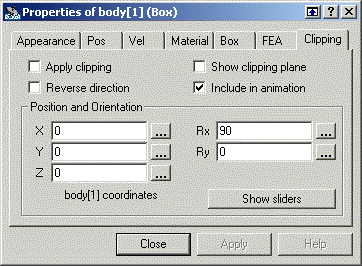
To set the properties of a clipping plane, double-click the body or subassembly for which the clipping plane is defined and select the Clipping tab to view the Clipping page.
The clipping plane is defined by a position relative to the body or sub-assembly and two rotations. These values can be defined with time-dependent formulas to move the clipping plane during a simulation.
Select the "Show sliders" button to easily move the clipping plane. Changing the clipping plane does not erase the motion history.
To animate clipping planes at the current simulation frame, switch to the Animate Clipping Planes run mode by
clicking the radio button for that mode,
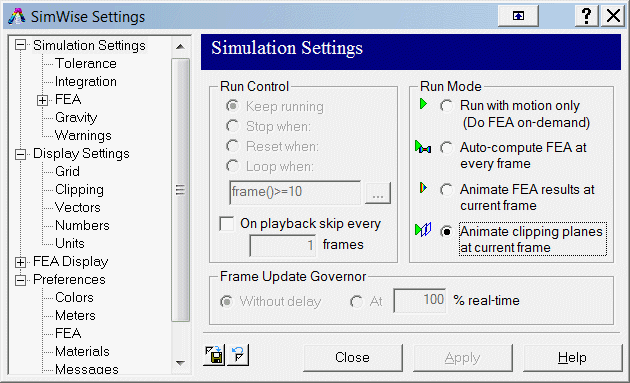
OR
selecting Animate Clipping Planes from the drop-down menu for the Run button.
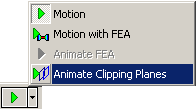
After you have specified the mode, click the run button to see the animation.
The clipping plane animation controls are defined on the Display Settings dialog:
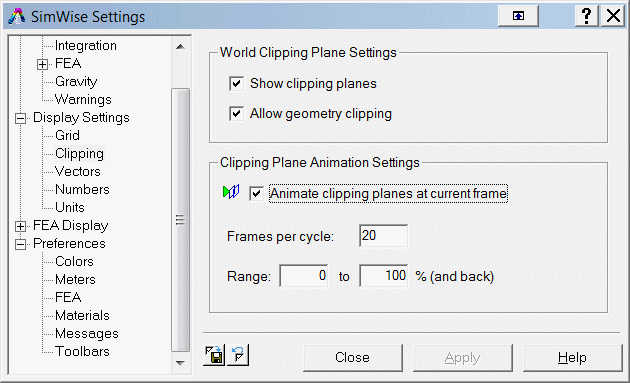
Enter the number of frames used for an animation cycle and the range through which to move the clipping planes. The range is defined as a percentage of the bounding box and is used on all clipping planes that are included in the animation. Use the run bar to control the animation, much like running a simulation or animating FEA results.
|
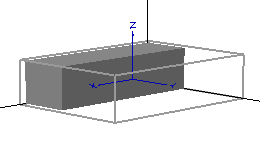
Clipping of a box |
|
|
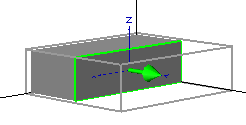
Clipping showing the outline and direction of the plane |
|
|
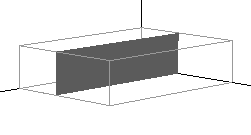
Clipping in wireframe mode |
|
|
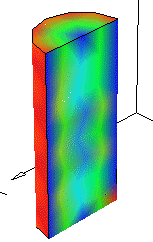
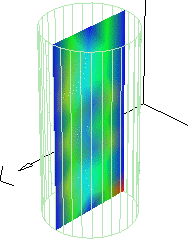
Clipping of FEA results |
|
|
Clipping of FEA results in wireframe mode |
|
|
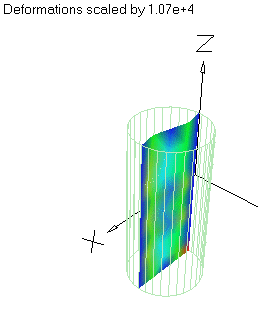
Clipping of FEA results with deformed geometry displayed (both wireframe and shaded modes) |
|